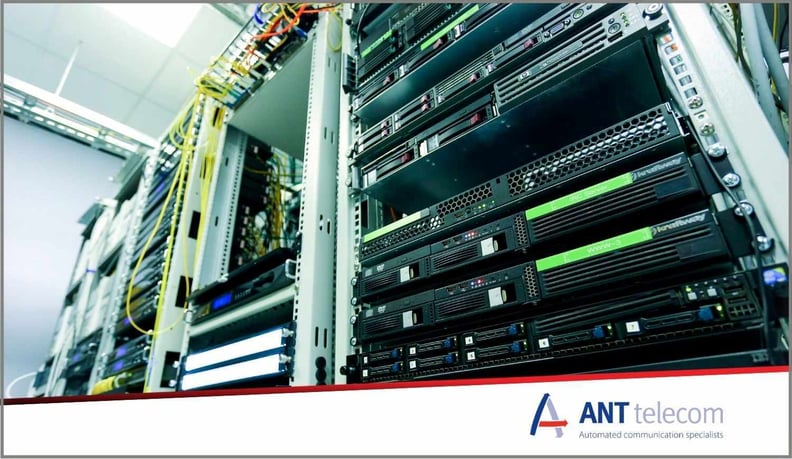
Server and communications rooms contain some of an organisation’s most important infrastructure. Network switches, routers, security equipment, servers and UPS systems may all depend on a relatively small room remaining within suitable environmental conditions.
Air conditioning helps maintain those conditions, but what happens if the cooling fails overnight, at the weekend or while the person responsible for the room is away from site?
For many organisations, the answer is still surprisingly manual. Someone checks the room each day, confirms that the temperature looks normal and makes sure the air-conditioning units appear to be operating correctly.
The problem is what happens between those checks.
The limitations of manual server room temperature checks
As a general guide, server rooms are typically maintained between 18°C and 27°C, with many organisations choosing to keep temperatures around the low 20s, depending on the equipment and environment. A daily temperature check provides reassurance that the conditions are in the required range, but only at that particular moment. Conditions can change shortly afterwards.
If an air-conditioning unit stops working after the room has been checked, heat generated by the equipment can cause the room temperature to gradually increase. This can be particularly concerning during warmer weather, when the surrounding environment provides less opportunity for that heat to dissipate.
The equipment may continue operating normally for some time. However, as temperatures increase, so does the risk of equipment overheating, reduced performance, protective shutdowns or, in more serious cases, component failure.
An organisation may already have systems that report when critical network equipment goes offline. But by the time that happens, the underlying problem may have been developing for hours.
Environmental monitoring provides an opportunity to identify the problem much earlier.
Why server room temperature alerts are only part of the answer
Installing wireless temperature sensors in a server or communications room allows conditions to be monitored automatically throughout the day and night.
Instead of relying on somebody physically checking the room, temperature and humidity readings can be collected at regular intervals and stored centrally. Alarm thresholds can then be configured so nominated personnel are alerted when conditions move outside acceptable parameters.
This removes an obvious gap associated with manual checks. However, receiving an alert creates another question:
Does somebody actually need to attend site?
A temporary temperature increase doesn't necessarily indicate a serious problem. The temperature may already be returning to normal by the time somebody receives the notification.
If the monitoring system simply sends an alarm without providing remote access to the underlying data, the recipient has limited information on which to base their response.
That can result in someone travelling to site unnecessarily — or, potentially more seriously, assuming an alarm isn't urgent when the temperature is continuing to rise.
Remote access helps determine whether there is a genuine problem
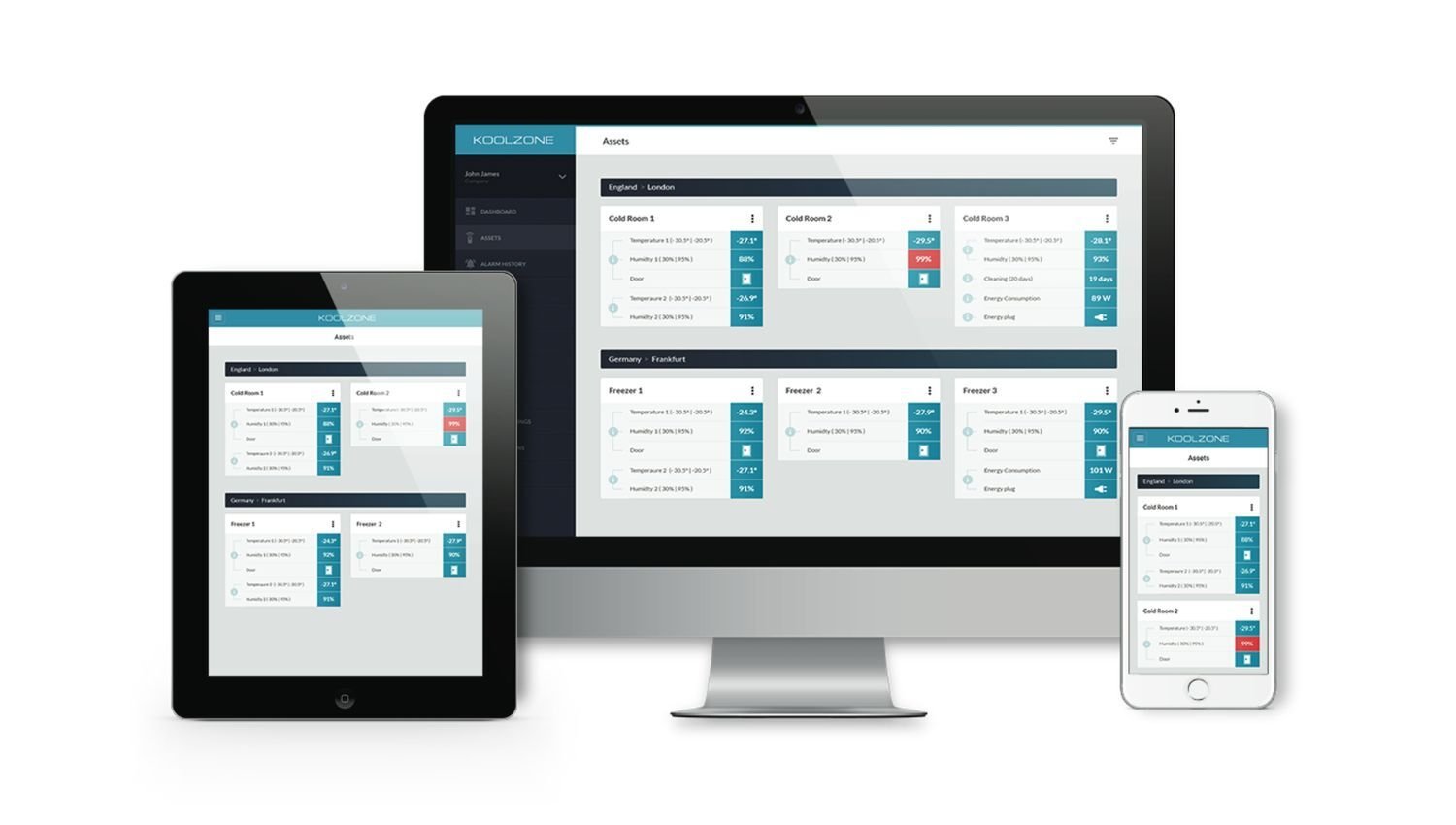
Remote server room monitoring provides more than an alarm notification. It allows authorised users to log into the monitoring platform from a computer, tablet or smartphone and see what is actually happening.
For example, someone receiving a high-temperature alarm at home could immediately check the current temperature and recent readings.
If the temperature briefly exceeded its threshold but is now falling back towards normal levels, they may decide to continue monitoring the situation remotely.
If, however, the data shows a consistent upward trend, the situation is very different. A temperature that has moved progressively higher over the previous hour provides much stronger evidence of a developing cooling problem that needs investigation.
Historical data provides additional context. Rather than knowing only that a threshold was breached, users can see when the change started, how quickly the temperature increased and whether conditions are improving or deteriorating.
This can help organisations make more informed decisions and avoid unnecessary out-of-hours site visits.
Monitoring individual racks as well as the room
Monitoring the overall room temperature is useful, but it doesn't necessarily provide the complete picture.
Conditions can differ within individual equipment racks depending on the amount of equipment installed, its heat output and the airflow around it. Monitoring individual racks alongside the wider room therefore provides greater visibility of the conditions experienced by critical equipment.
Wireless temperature and humidity sensors can be positioned within individual racks without needing to connect them to the organisation's IT network.
This provides multiple monitoring points and makes it easier to identify whether rising temperatures are affecting the whole room or are concentrated around a particular rack.
Detecting air-conditioning failure before the room overheats
Temperature monitoring identifies the consequence of a cooling problem. In some circumstances, it is also possible to monitor the cooling equipment itself.
Consider an air-conditioning unit that stops operating at 8pm.
A temperature sensor won't necessarily generate an alarm immediately. The room may remain within its configured temperature limits while heat gradually accumulates. Depending on the room and its equipment, it could therefore be some time before the high-temperature threshold is reached.
Monitoring the power supply to the air-conditioning equipment can provide much earlier warning that something has changed.
An alert indicating that an air-conditioning unit has lost power can therefore prompt someone to investigate while the room temperature is still within acceptable limits.
Where two air-conditioning units provide resilience, monitoring both can also help organisations identify the failure of one unit even if the remaining unit is temporarily maintaining the required room temperature.
Adding UPS monitoring provides another layer of visibility
The same principle can be applied to the room's power infrastructure.
A UPS may protect network equipment if the mains electricity supply fails, allowing systems to continue operating from battery power. But the person responsible for the room still needs to know that this has happened.
Monitoring can provide an alert when the mains supply is lost and the UPS is supporting the equipment.
Combined with temperature, humidity and air-conditioning monitoring, this provides a broader view of the conditions surrounding critical IT and communications infrastructure.
Rather than waiting for equipment itself to fail, organisations can identify some of the environmental and power-related issues that could eventually cause disruption.
Wireless monitoring without connecting to the corporate network
For organisations where IT security is particularly important, adding another device to the corporate network isn't always desirable.
Wireless environmental monitoring can operate independently of the organisation's LAN or Wi-Fi network. Battery-powered sensors communicate wirelessly with a gateway, which can then use a cellular connection to transfer readings securely to a cloud-based monitoring platform.
This also makes installation relatively straightforward.
Sensors can be positioned within equipment racks and around the room without extensive cabling or taking network equipment offline. Battery-powered sensors can operate for several years, depending on their configuration and reporting frequency.
The result is continuous environmental monitoring without introducing another system onto the organisation's internal network.
From a daily check to continuous remote visibility
Manual server room checks can still have a place, but they only tell you what conditions were like when somebody entered the room.
Automated monitoring fills the much larger gap between those checks.
Temperature and humidity sensors can identify changing environmental conditions. Monitoring the air-conditioning and UPS can provide earlier warning of potential problems. Automated alerts make the appropriate people aware when something requires attention.
But remote access is an equally important part of the process.
Being able to see current readings and recent trends from wherever you are helps establish whether an alert represents a genuine developing problem, whether conditions are recovering or whether somebody needs to attend site.
For organisations responsible for critical network and communications equipment, that visibility can provide valuable peace of mind: you don't need to be standing in the server room to know what's happening inside it.
Want to See How Remote Temperature Monitoring Works?
If you're looking for a better way to monitor your server or communications room, we can talk through your requirements and show you how the system works.
Get in touch to book a demo or speak to our team